Motorcycle for Animals Players & Controls
Platform support notes and input guidance for every Motorcycle for Animals session.
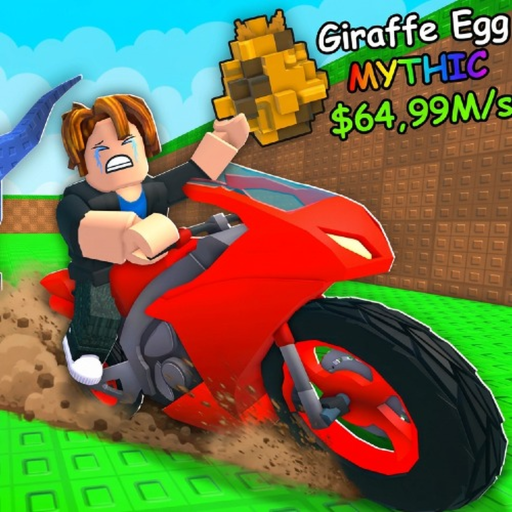
The Players hub is your control-room for Motorcycle for Animals on Roblox. Best Animal Productions! built the experience for Desktop, Console, Mobile, and Tablet, so friends can share the same plot economy from different devices. Use this page to understand platform expectations, then open the dedicated Controls guide for movement, Shop access, and honest caveats about unpublished keybinds.
Motorcycle for Animals is not a traditional character-roster fighter. “Players” here means operator guidance: how humans actually move, open menus, redeem codes, and survive the treadmill-to-motorcycle loop on each platform. For systems help after your inputs feel solid, jump to Getting Started, How to Play, Eggs and Hatching, Treadmill and Speed, Animal Index, Codes, and the Tier List.
Supported platforms
Desktop
Desktop is ideal for precise treadmill clicking and long Index sessions. Expect standard Roblox keyboard and mouse patterns: WASD style movement once verified in your client, pointer clicks for plot interactions, and easy access to the left-side Shop for codes. If a bind feels wrong after a Roblox client update, re-check in-game rather than trusting an old screenshot.
Console
Console play uses controller sticks and face buttons through Roblox’s console layer. Movement should feel familiar if you already play other Roblox experiences on the same hardware. Menu navigation to the Shop and codes section may take an extra moment compared with mouse aim—learn the focus path once during a quiet plot moment, not mid-steal.
Mobile
Mobile relies on the virtual joystick and on-screen taps. Treadmill training is absolutely viable; use short focused bursts so your thumb does not drift into accidental camera moves. Keep the phone orientation comfortable before long click-multiplier sessions. The Shop still matters on mobile because Release and future codes are redeemed there for Cash.
Tablet
Tablet sits between mobile comfort and desktop screen space. Larger touch targets help with plot placement and hatching. If you dock a keyboard, verify whether movement follows keyboard or touch first—Roblox behavior can depend on input mode. When unsure, open Controls and test in a safe plot corner.
Why controls belong in the Players hub
Bad inputs waste good strategy. You can memorize every tip on the Guides Hub and still fail runs if you cannot open the Shop, mount the motorcycle, or place eggs quickly. The Controls page documents:
- Standard Roblox movement expectations for PC and mobile.
- The known Shop on the left location for the codes section.
- Clear warnings wherever developer-published keybind charts are missing.
- Practical tips for training, riding, and base management across devices.
We do not invent fake hotkey tables. Where something is unverified, the controls guide says so and tells you to confirm in your live client.
Suggested player setup checklist
- Confirm your device type and performance settings in Roblox.
- Load into your plot and practice camera plus movement with no eggs at risk.
- Open the left Shop and locate the codes section; redeem Release for 500 Cash if you have not already—details on Codes.
- Find the treadmill and complete one short training burst.
- Mount the motorcycle only after movement feels stable.
- Place and hatch one egg cycle so touch or click targets for plot actions are learned.
- Bookmark Controls for friends joining on other platforms.
Cross-links for progression after setup
Once inputs are comfortable, progression problems are usually economic, not mechanical:
- Slow zones → Treadmill and Speed
- Egg clutter → Eggs and Hatching
- Collection goals → Animal Index
- Full loop refresh → How to Play
- Day-one refresh → Getting Started
- Spend priorities → Tier List
Community and fairness notes
Play the official experience on Roblox and treat this wiki as an unofficial fan resource. Platform differences never justify account sharing or client tampering. If a control changes after a Roblox or game update, re-verify locally and check Updates for patch context.
Server population can be small—facts note a reported server size around five—so expect intimate sessions where movement discipline and plot timing matter more than massive crowd chaos. Learn your device well and you will outpace louder players who never open the Shop or treadmill UI on purpose.
Next step
Open Controls now, then return here whenever you switch devices. Keep the Guides Hub and Codes hubs pinned for everything that happens after you can actually steer.
Frequently Asked Questions
Quick answers about codes, animals, motorcycles, and progression.
Which platforms can play Motorcycle for Animals?
Desktop, Console, Mobile, and Tablet through Roblox are supported. Test movement and Shop access on your device after joining.
Where is the detailed controls guide?
Open the Controls page linked from this hub for PC and mobile notes, Shop location tips, and unverified-bind caveats.
Is this hub a character roster?
No. For this game it focuses on player platforms and controls. Animal collection details live in the Animal Index and eggs guides.
Can I redeem codes on mobile?
Yes. Use the Shop on the left and its codes section, same as other platforms. Start with Release for 500 Cash if unclaimed.
What should I do after controls feel good?
Follow Getting Started or How to Play, then specialize with treadmill, eggs, and Index guides while checking Codes for Cash.