Motorcycle for Animals Controls Guide
PC, mobile, and shared UI tips for movement, Shop codes, treadmill training, and plot actions.
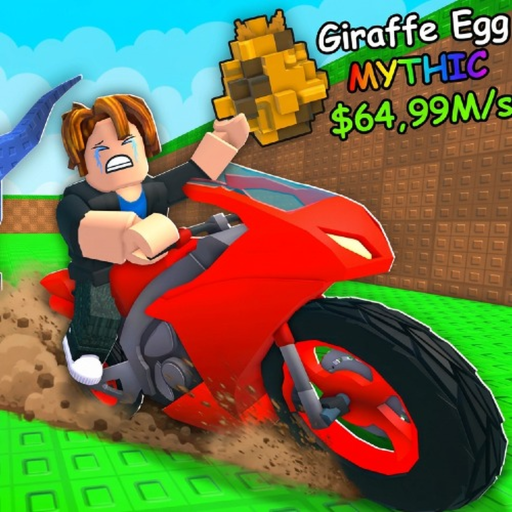
Motorcycle for Animals does not currently ship a fully detailed public controls manual we can mirror word for word. This guide documents standard Roblox movement patterns, the known Shop-on-the-left codes entry, and practical device tips for Desktop, Console, Mobile, and Tablet. Wherever a bind is not developer-verified, we mark it clearly so you confirm inside your live client instead of memorizing a rumor chart.
Use this page with the Players Hub, then continue into Getting Started and How to Play once you can move, open the Shop, train, and manage the plot. Systems guides for Treadmill and Speed, Eggs and Hatching, and Animal Index assume you already know how to interact on your device. Redeem Codes after you can reach the codes section reliably.
Important caveat
Keybinds need in-game verification. Roblox client updates, platform overlays, and custom device settings can change what you press. Treat every keyboard key named below as a standard expectation, not a guaranteed Motorcycle for Animals exclusive binding published by Best Animal Productions!. If something fails, open Roblox settings, check your platform’s control screen, and test in a safe corner of your plot.
Desktop (PC) controls
Movement
Most Roblox desktop experiences use WASD (or arrow keys in some setups) to move your avatar and mouse to look. Expect the same baseline here unless your client shows otherwise. Practice walking the perimeter of your plot before mounting the motorcycle so camera sensitivity feels natural.
Interaction
Use the mouse to click plot objects: treadmill, eggs, hatch prompts, Index UI, and expansion options. Precise clicking helps during busy hatch moments when multiple prompts overlap. If a click does nothing, check distance to the object and whether another menu is already open.
Shop and codes
Open the Shop from the left side of the UI. Inside, find the codes section and enter Release for 500 Cash if you have not claimed it. Full promo notes live on Codes. Learning this path on desktop usually takes under a minute—do it before long treadmill sessions so Cash upgrades are one click away.
Motorcycle travel
Mount and steering follow Roblox vehicle or mount conventions in your client. Because exact mount toggles are not fully published here, discover the prompt on your bike during a quiet moment. Never learn mount controls for the first time in a contested far zone.
Mobile and tablet controls
Movement
Use the virtual joystick (on-screen stick) to move. Keep thumbs clear of UI buttons that open Shop or camera modes accidentally. On tablets, larger sticks help during long rides; still return to the plot before fatigue causes placement mistakes.
Taps and training
Treadmill training is tap-heavy. Short focused bursts with click or tap multipliers active beat endless distracted tapping. Brace the device, disable gestures that leave the Roblox app, and pause notifications during serious training blocks described in Treadmill and Speed.
Shop on mobile
The Shop remains on the left. Open it deliberately—fat-finger opens mid-ride can break flow. Redeem codes, close the Shop, then remount. If the codes field does not accept input, tap the field once to focus, dismiss the on-screen keyboard carefully, and retry.
Console notes
Controller sticks handle movement; face buttons and bumpers handle confirms through Roblox’s console UI layer. Spend two minutes mapping how you open the left Shop and close menus without canceling a hatch. Console players should favor planned plot stops over rapid menu toggling while moving.
Shared UI map every platform needs
Regardless of device, memorize this loop:
- Plot — treadmill training, egg placement, hatching, animal income, expansion.
- Shop (left) — codes such as Release, plus purchases and upgrades.
- Motorcycle — travel into zones for egg steals.
- Animal Index — collection checks after hatches.
If you can hit those four without hunting, you are ready for real sessions in How to Play.
Practical drills (five minutes)
- Walk a square around the plot without opening menus.
- Open and close the left Shop twice.
- Enter a test string in codes, clear it, then enter Release if unclaimed.
- Train on the treadmill for thirty focused seconds.
- Interact with an egg slot or hatch prompt if available.
- Mount and dismount the motorcycle once in a safe area.
Complete that drill on every new device you use. Cross-play households waste time when each person relearns menus during the only shared hour they have.
Accessibility and comfort tips
- Lower camera sensitivity if motorcycle turns make you dizzy.
- Take breaks during multiplier grinding—speed gains are not worth hand strain.
- On mobile, play charged or plugged in during long Index farm nights.
- Use headphones if audio cues help you notice hatch readiness, but still visually confirm prompts.
What this page will not claim
We will not publish a fake full hotkey table, controller glyph chart, or “secret” bind list. We will not pretend unpublished zone-entry shortcuts exist. When community posts disagree with your client, trust the client and re-check after patches via Updates.
After controls, play the game
Redeem codes, train, steal, place, hatch, and Index up using the Guides Hub. Prioritize upgrades with the Tier List. Return to this controls page whenever you switch from phone to PC or after a Roblox UI change. Solid inputs make every other Motorcycle for Animals guide work the way it was written.
Frequently Asked Questions
Quick answers about codes, animals, motorcycles, and progression.
What are the PC movement controls?
Expect standard Roblox WASD or arrow movement with mouse look, but verify in your client because a full official bind list is not published here.
How do I move on mobile?
Use the on-screen virtual joystick and taps for plot interactions, Shop access, and treadmill training.
Where do I redeem codes?
Open the Shop on the left side of the UI and use the codes section. Release grants 500 Cash when active.
Are these keybinds officially confirmed?
Movement guidance follows standard Roblox patterns. Exact Motorcycle for Animals keybinds should be confirmed in-game because a complete official chart is not available to cite.
Can console players use the Shop?
Yes. Learn the controller focus path to the left Shop during a quiet plot moment so codes and upgrades are reachable mid-session.
What should I practice first?
Plot movement, Shop open/close, treadmill training taps or clicks, and one safe motorcycle mount before long zone runs.